Tag: Workplace Technology

  • Are Smart Glasses Finally Becoming Useful for Work?

    Are Smart Glasses Finally Becoming Useful for Work?

    Smart glasses have had a complicated history.

    For years, they sounded futuristic but felt awkward in real life. Many people saw them as too expensive, too distracting, or too unusual to become part of the average workday. But the newest wave of AI-powered smart glasses is starting to change that conversation.

    Companies including Google, Meta, and Samsung are investing in wearable AI devices that could help people access information, translate conversations, capture notes, and interact with digital tools without constantly reaching for a phone or laptop. Google has been working with partners including Samsung, Warby Parker, and Gentle Monster on Gemini-powered smart glasses, while Meta reportedly has several new smart glasses planned for 2026.

    What Are Smart Glasses?

    Smart glasses are wearable devices that look like regular eyewear but include built-in technology such as cameras, microphones, speakers, sensors, or AI assistants.

    A practical way to think about them is this: smart glasses are designed to bring digital help into the real world without requiring someone to constantly look down at a screen.

    For example, a professional could use smart glasses to hear a translated conversation, capture a quick note, receive directions, review meeting reminders, or get hands-free assistance while working.

    Why Professionals Are Paying Attention

    Most professionals already know the feeling of juggling too many screens.

    A meeting on the laptop. A message on the phone. Notes in another app. A calendar reminder pops up right when the conversation gets important.

    Smart glasses could reduce some of that friction by making certain tasks more hands free. Instead of stopping to type a note or search for information, a worker may eventually be able to ask a wearable assistant for help in the moment.

    That could matter in industries where people need to keep their hands free, such as healthcare, field service, logistics, manufacturing, training, travel, and customer support.

    The value is not just looking futuristic. The value is helping people stay focused while still having access to useful information.

    The Trust Question

    The biggest challenge may not be the technology itself. It may be trust.

    Smart glasses can include cameras, microphones, and real-time AI assistance. That raises important questions about privacy, consent, workplace policies, and how information is stored. Recent reporting on AI eyewear has pointed out that these devices could create new opportunities, but also new concerns around data ethics, bystander privacy, and transparency.

    In a workplace, that matters. Employees, customers, and partners need to know when devices are recording, what information is being captured, and how that data is being protected.

    This is where the conversation connects back to business communication. Companies like NEVTIS Corp help organizations modernize the way teams communicate through voice, video, messaging, and collaboration tools. As new devices enter the workplace, companies will need communication systems and policies that support both productivity and trust.

    UCaaS, or Unified Communications as a Service, brings business phone, video meetings, messaging, and collaboration into one connected system. If wearable tools become part of daily work, businesses will need to think carefully about how those tools connect to meetings, customer conversations, and internal communication.

    Looking Ahead

    Smart glasses may not replace laptops or phones anytime soon.

    But they could become useful in specific moments where hands-free access, quick information, or real-time assistance make work easier. The companies that benefit most will be the ones that treat wearable technology as a tool with a clear purpose, not just a trend.

    For teams, the question is not only, “Can this device do something impressive?”

    The better question is, “Does it help people work better without creating new confusion or privacy risks?”

    Tech Today Takeaway: Smart glasses are moving from a futuristic idea to a practical workplace experiment. Their success will depend on whether they can deliver real productivity while earning trust from the people expected to use them.


  • Are Too Many Work Apps Slowing Teams Down?

    Are Too Many Work Apps Slowing Teams Down?

  • Your Workday Never Really Ends—And Technology May Be the Reason Why

    Your Workday Never Really Ends—And Technology May Be the Reason Why

    Technology has made work faster, more flexible, and more connected. But for many professionals, it has also made it harder to turn off.

    Between emails, video meetings, instant messages, project updates, and after-hours notifications, employees are spending more of their day reacting to digital noise. What was designed to improve productivity can sometimes create the opposite effect: distraction, fatigue, and burnout.

    What Is Digital Burnout?

    Digital burnout is the mental exhaustion that comes from being constantly connected to work through screens, messages, meetings, and notifications.

    It is different from simply being busy. Digital burnout happens when employees feel like they are always “on,” switching between tools, responding to messages, and trying to keep up with communication across multiple platforms.

    In simple terms, the workday does not always end when the office closes.

    Why Businesses Should Pay Attention

    Digital burnout is not just an employee wellness issue. It can affect business performance.

    When employees are overwhelmed by too many meetings, alerts, and communication channels, it becomes harder to focus on meaningful work. Teams may respond slower, miss important details, or spend more time managing communication than actually completing projects.

    Recent workplace research continues to show that companies are facing challenges around burnout, disengagement, hybrid work, and communication overload. Microsoft’s Work Trend Index also focuses on how organizations can help employees thrive during ongoing changes in the way people work.

    For business leaders, the message is clear: more tools do not always mean better productivity. The real goal is to create communication systems that help teams work with clarity, not confusion.

    Building Healthier Communication Habits

    The solution is not to remove technology. It is to use technology more intentionally.

    Businesses can reduce digital burnout by setting clearer expectations around response times, limiting unnecessary meetings, organizing communication channels, and choosing tools that make collaboration easier instead of more complicated.

    This is where modern communication planning matters. NEVTIS Corp helps businesses improve the way teams communicate through voice, video, messaging, and collaboration tools that support a more connected workplace.

    When communication is organized and easy to manage, employees can spend less time chasing information and more time doing meaningful work.

    Looking Ahead

    As the workplace becomes more digital, companies will need to think carefully about how technology affects focus, productivity, and employee experience.

    The businesses that succeed will not simply adopt more tools. They will choose the right tools, create smarter communication habits, and build work environments where people can stay connected without feeling overwhelmed.

    Tech Today Takeaway: Digital burnout is a reminder that technology should support people, not exhaust them. For businesses, smarter communication habits may be just as important as the tools themselves.

  • AI Is Coming Directly To Your Laptop

    AI Is Coming Directly To Your Laptop


    Artificial intelligence is moving from the cloud directly onto personal devices.

    A new generation of AI-powered laptops is being designed to run advanced AI tools locally, meaning the computer can process certain AI tasks on the device itself instead of relying entirely on internet-based cloud services.

    What Is On-Device AI?

    On-device AI means artificial intelligence features run directly on your laptop, phone, or computer rather than sending every request to a remote server.

    For example, instead of using the cloud to summarize a document, organize notes, enhance a video call, or assist with writing, the device may be able to handle some of that work on its own.

    For business users, this could mean faster performance, stronger privacy, and better access to AI tools even when internet connections are limited.

    Why It Matters for Professionals

    Business professionals are increasingly using AI to save time, automate tasks, and work more efficiently. AI can help summarize meetings, draft emails, organize projects, analyze information, and support faster decision-making.

    If these tools are built directly into laptops, AI could become a normal part of the workday instead of something users access through separate apps or websites.

    That shift could make everyday business tasks faster and more seamless.

    Smarter Communication at Work

    AI-powered devices could also improve how teams communicate and collaborate throughout the workday.

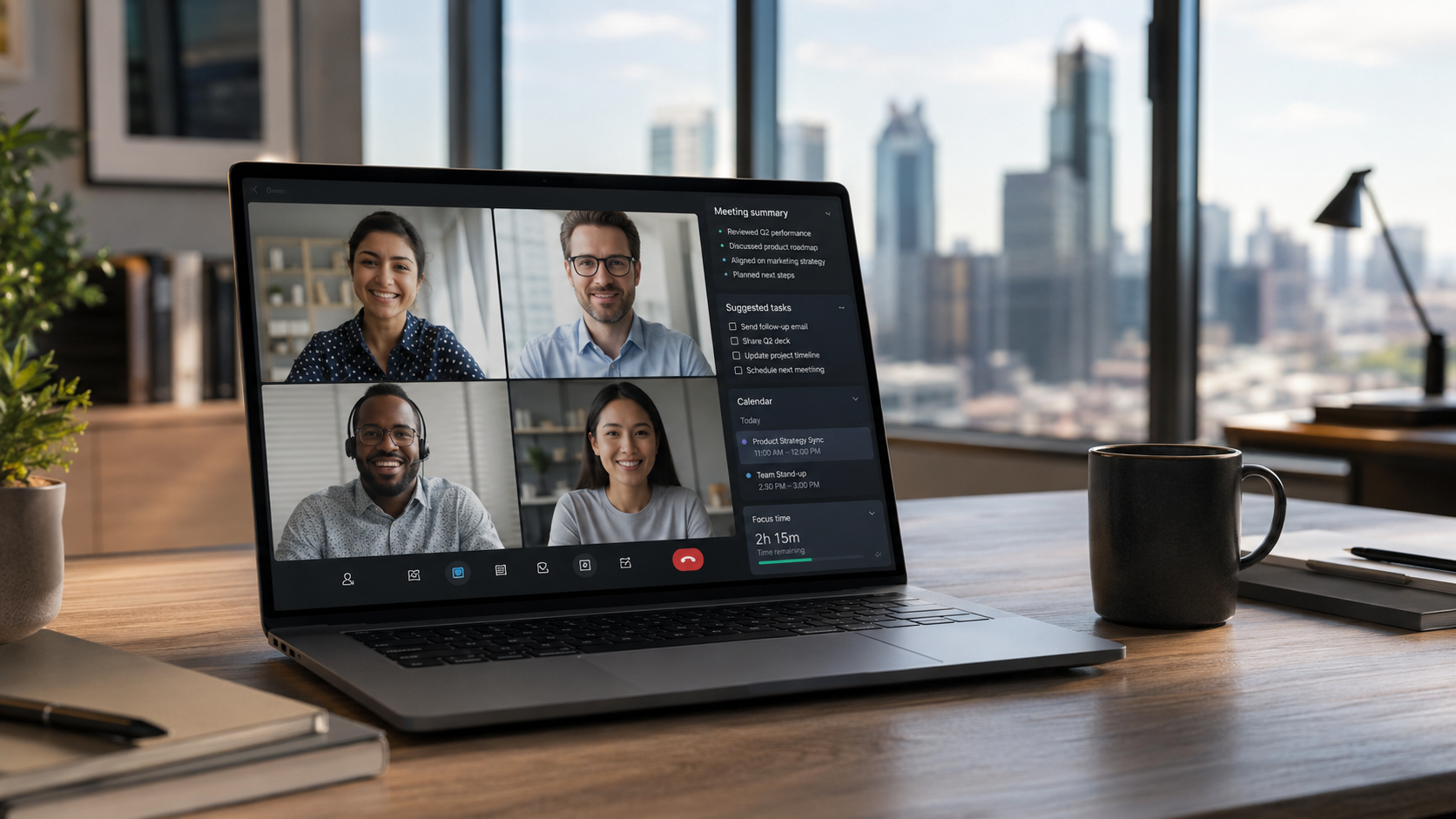
    Future laptops may help enhance video meetings, reduce background noise, summarize conversations, translate discussions, and organize follow-up tasks automatically. These features can help teams stay productive without spending as much time on manual note-taking or administrative work.

    As communication tools become more intelligent, businesses will increasingly look for platforms that bring these capabilities together in one seamless experience. Companies like NEVTIS Corp, a UCaaS software technology provider, are helping organizations modernize voice, video, messaging, and collaboration through cloud-based solutions designed for today’s connected workforce.

    As AI becomes more integrated into both devices and communication platforms, businesses will have greater opportunities to improve productivity, customer service, and team collaboration.

    Looking Ahead

    The rise of AI-powered laptops shows that artificial intelligence is becoming more personal, practical, and accessible.

    For business leaders, the key question is no longer whether AI will enter the workplace. It is how quickly employees will expect AI-powered tools to be part of their daily workflow.

    Companies that prepare now by modernizing their communication systems, cloud platforms, and digital tools will be better positioned for the next wave of workplace innovation.

    Tech Today Takeaway: AI-powered laptops could turn everyday devices into smarter business tools, helping professionals work faster, communicate better, and protect information more effectively.