Author: Nevtis Corp

  • 5 Ways to Improve WiFi in Your Small Office (Without Being a Tech Expert)

    5 Ways to Improve WiFi in Your Small Office (Without Being a Tech Expert)


    If your WiFi feels slow, unreliable, or “randomly bad,” you’re not alone.

    Many small business owners struggle with office WiFi — especially if they aren’t technical. Calls drop. Video meetings freeze. File uploads stall. Staff gets frustrated. Productivity suffers.

    The good news? Most WiFi problems in small offices are fixable without rebuilding your entire network.

    Here are five practical ways to improve your small business WiFi.


    1️⃣ Stop Using the ISP’s Default Router (If You Still Are)

    One of the biggest issues we see: businesses relying entirely on the basic router provided by their internet service provider.

    Those devices are typically:

    • Designed for light residential use
    • Limited in coverage
    • Not optimized for multiple users
    • Lacking advanced traffic management

    If you have:

    • 5+ employees
    • Cloud-based software
    • VoIP phones
    • Video meetings

    You likely need a business-grade router and access point, not a consumer combo device.

    Upgrading this one piece of equipment can dramatically improve stability and speed.


    2️⃣ Move Your Router — Location Matters More Than You Think

    WiFi signals weaken through:

    • Concrete walls
    • Metal shelving
    • Filing cabinets
    • Elevators
    • Large appliances

    If your router is:

    • Hidden in a closet
    • Under a desk
    • Behind a server rack
    • In the far corner of the office

    Your signal is already compromised.

    Best practice:

    • Place your main access point centrally
    • Elevate it (not on the floor)
    • Keep it away from thick walls or metal objects

    Physical placement alone can solve many coverage issues.


    3️⃣ Separate Guest WiFi from Business WiFi

    If customers, vendors, or personal devices are using the same network as:

    • VoIP phones
    • POS systems
    • Accounting software
    • CRM platforms

    You’re asking for congestion problems.

    A properly configured network should include:

    • A secure internal business network
    • A separate guest network
    • Bandwidth controls if needed

    This keeps your critical systems stable and protects sensitive data.


    4️⃣ Add Access Points — Don’t Just “Boost” the Signal

    WiFi extenders often create more problems than they solve.

    Instead of boosting one signal, consider installing:

    • Multiple access points
    • Wired backhaul (if possible)
    • A properly designed mesh system

    In offices larger than 1,500–2,000 sq ft, one router is rarely enough.

    More access points = better coverage + smoother device handoff + fewer dead zones.


    5️⃣ Optimize for VoIP and Video Traffic

    If your business relies on:

    • Hosted VoIP phone systems
    • Zoom or video meetings
    • Cloud platforms
    • AI-based tools

    Your network should prioritize voice and video traffic.

    This is called QoS (Quality of Service) configuration.

    Without it, someone downloading large files can cause:

    • Choppy calls
    • Dropped audio
    • Lag during meetings

    A properly configured router ensures business-critical traffic gets priority.


    Bonus Tip: Know When to Call a Professional

    Many small businesses spend years troubleshooting WiFi issues themselves.

    Sometimes the fastest solution is:

    • A proper network assessment
    • Professional configuration
    • Business-grade hardware

    Reliable connectivity isn’t a luxury anymore — it’s infrastructure.

    When your internet is stable:

    • Calls are clearer
    • Teams move faster
    • Customers get better service
    • Technology works the way it’s supposed to

    And that changes everything.

  • Ditch the Dial Tone Drama: Find Your Perfect Professional Phone System

    Ditch the Dial Tone Drama: Find Your Perfect Professional Phone System

    Professional Phone System: Ditch Drama 2025

    Upgrade Your Business Communications with a Professional Phone System

    Choosing the right professional phone system for your business can feel overwhelming. Many small business owners struggle with outdated systems that are expensive, lack modern features, and don’t support today’s flexible work environments. This guide simplifies that choice, exploring how modern, cloud-based solutions like Voice over Internet Protocol (VoIP) offer clear advantages:

    • Significant Cost Savings: Businesses often save 50-70% compared to traditional landlines.
    • Improved Mobility: Make and receive calls from any internet-connected device, anywhere.
    • Advanced Features: Benefit from auto-attendants, call routing, voicemail-to-text, and more.
    • Scalability: Easily add or remove users and lines as your business grows.
    • Improved Collaboration: Integrate communication channels for better team productivity.

    I’m Juan Olmedo, a Tech | SaaS | UCaaS Engineer and entrepreneur. I’ve spent years advising businesses on innovative solutions, including the professional phone system, to drive growth and efficiency.

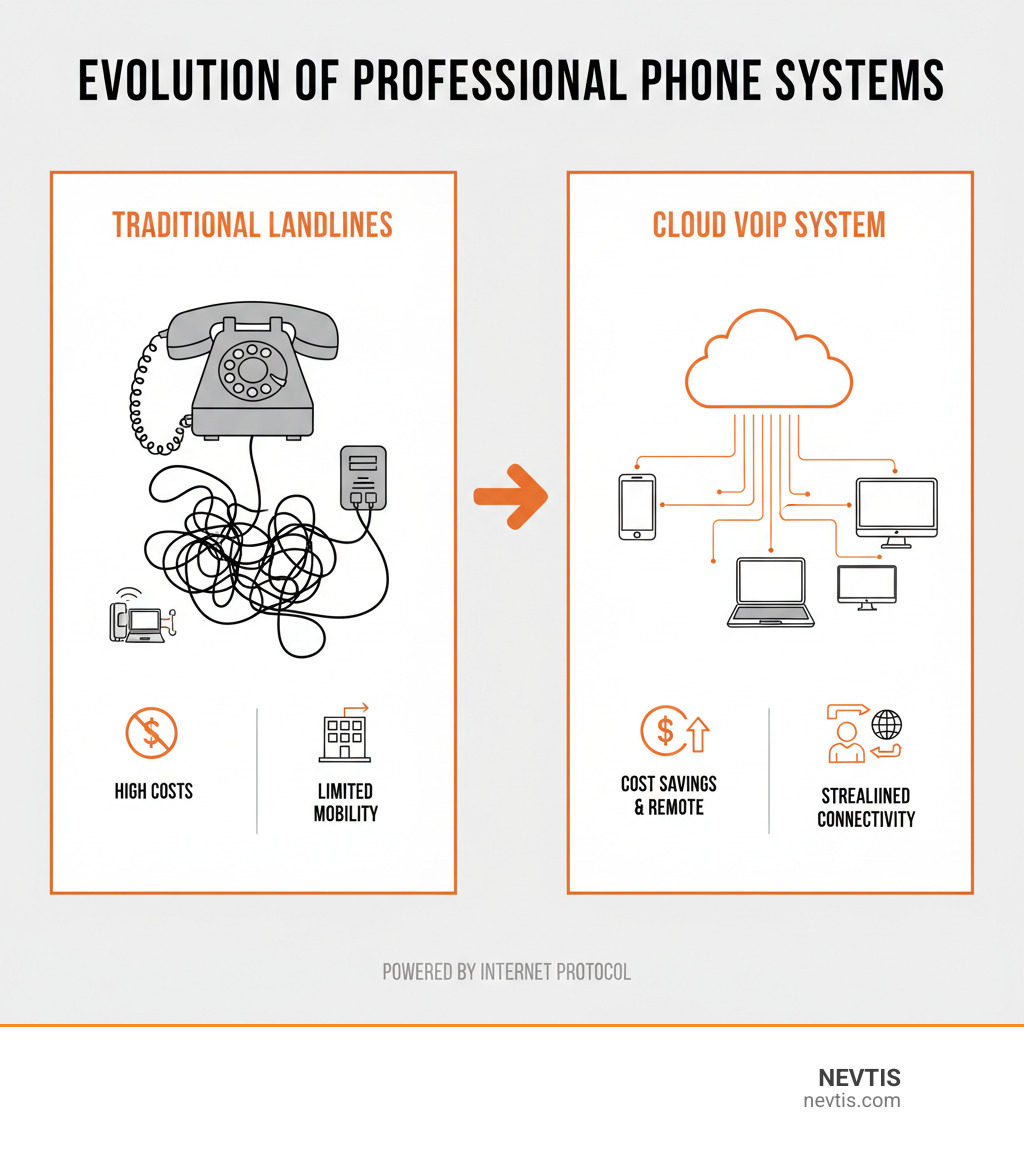
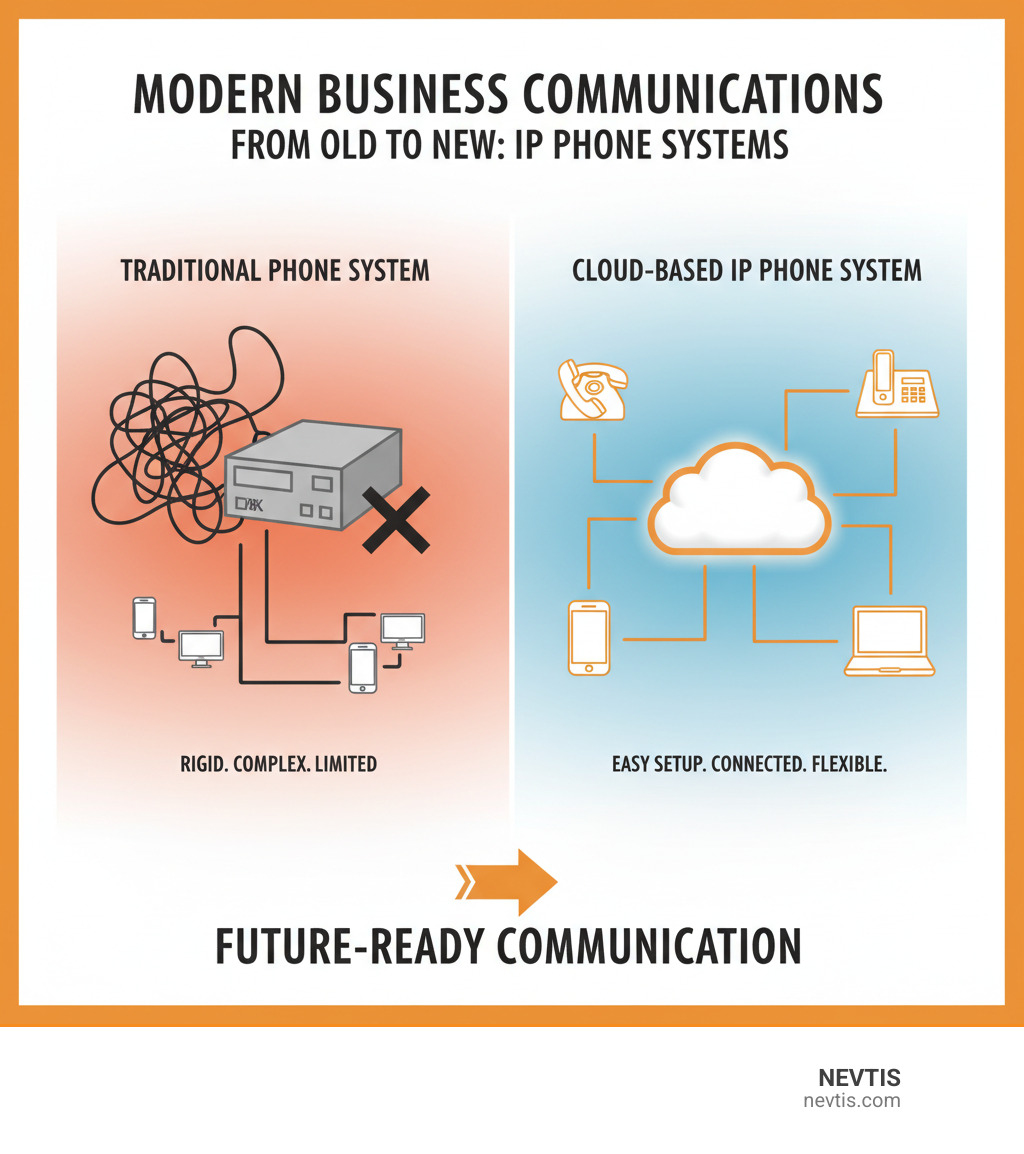
    infographic explaining the evolution from traditional landlines with tangled wires to a streamlined cloud VoIP system connecting multiple devices - professional phone system infographic

    What is a Modern Business Phone System?

    Forget the maze of wires from old office phones. A modern professional phone system is internet-powered and built for how we work today. Whether you’re in Los Angeles, Anaheim, or Newport Beach, today’s phone systems are designed to move with you. The key is Voice over Internet Protocol (VoIP), which sends calls over the internet instead of old copper lines. The result is simple: crystal-clear calls, powerful features, and savings of 50-70% compared to traditional landlines.

    VoIP vs. Landline

    Traditional landlines use the Public Switched Telephone Network (PSTN)—physical copper wires that are expensive, difficult to expand, and limited in features. Adding a new line often means costly installation. In contrast, VoIP systems send calls over the internet, so no new wiring is needed. Adding an extension takes a few clicks, allowing your team in Pasadena or remote workers in Riverside to stay connected on laptops or smartphones. If you have internet, you have a phone system.

    Cloud PBX vs. Traditional PBX

    System management has also evolved. The old traditional PBX (Private Branch Exchange) was bulky, expensive on-site hardware that required maintenance and had physical limitations. The modern solution is the cloud PBX (or hosted PBX). With a cloud-based professional phone system, the provider manages the hardware and software off-site. You only need an internet connection and your preferred devices (IP phones, computers, or smartphones). This is ideal for teams with remote workers in locations like Burbank or Hawthorne, as everyone connects to the same system. The benefits are clear: significant cost savings on hardware and maintenance, effortless scalability, greater flexibility for your team, and access to advanced features.

    Key Features of a Professional Phone System

    A modern professional phone system is a complete communication hub. Here are the features that make the biggest difference:

    • Auto-attendant: Greets callers with a professional message and menu options to direct them to the right person or department, creating a polished first impression 24/7.
    • Call routing: Uses smart rules (e.g., time of day, caller ID) to direct calls to the right person or group. Create ring groups or sequential ringing to ensure calls are answered.
    • Voicemail-to-text: Transcribes voicemails and sends them to your email or mobile app, allowing you to read messages quickly.
    • Call recording: Captures conversations for training, quality control, or compliance.
    • Analytics and reporting: Provide detailed data on call volumes, peak times, and team performance to help you make smarter business decisions.
    • Business texting: Integrates professional SMS into your phone system for quick reminders and follow-ups.
    • Visual voicemail: Displays your voicemails in a list, like email, so you can manage messages without listening in order.

    These features work together to streamline operations and improve customer service. More info about our services.

    The Power of Unified Communications (UCaaS)

    Unified Communications as a Service (UCaaS) integrates your professional phone system with other tools like video meetings, team chat, and file sharing onto a single cloud-based platform. Instead of juggling separate apps, your team works from one unified platform.

    dashboard showing unified communications features like calls, messages, and video on a single screen - professional phone system

    Collaboration improves as team members in Los Angeles can easily video call colleagues in Orange County without switching apps. Our NEVTIS Plus mobile app bundles over 50 enterprise features to enable this seamless interaction. Productivity increases as your team spends less time managing tools and more time communicating. The experience is consistent across all devices, whether at a desk in Pasadena or a coffee shop in Burbank.

    Crucially, UCaaS platforms are built for remote and hybrid work, keeping your employees connected and productive anywhere. This flexibility is essential for business continuity and attracting modern talent.

    How to Choose the Right Professional Phone System for Your Business

    Choosing the right professional phone system is a strategic decision that impacts your operations, customer satisfaction, and bottom line. Since every business in Southern California is unique, the goal is to find a system that fits your specific needs. This is an investment in a communication hub that grows with you—a process we call future-proofing.

    small business owner comparing phone system plans on a tablet - professional phone system

    Evaluating Your Core Needs and Features

    Before looking at providers, first evaluate what your business truly needs.

    • Business Size and Scalability: Consider your current number of users and future growth plans. Our solutions scale effortlessly, making it easy to add or remove users whether you’re a startup in Anaheim or an enterprise in Riverside.
    • Must-Have Features: Identify essential functions. Do you need an auto-attendant, CRM integration, analytics, or business texting?
    • Remote Work and Mobility: Your team needs to stay productive anywhere. A great system offers a powerful mobile app for secure communication without using personal numbers. Our NEVTIS Plus app empowers remote teams with over 50 advanced features.
    • Call Volume: High volume may require call queuing and an IVR (Interactive Voice Response) system to manage calls efficiently.
    • Industry-Specific Needs: Consider requirements like HIPAA compliance for healthcare in Hawthorne or advanced contact center features for a service business in Newport Beach.

    Understanding Pricing Models for a Professional Phone System

    Understanding pricing models is key to setting a budget and avoiding surprises.

    • Per-User Pricing: A common model where you pay a monthly fee for each user. Plans typically range from $15 to $60+ per user, depending on features. This model scales with your team, making costs predictable.
    • Tiered Plans: Providers offer different service levels (e.g., Basic, Standard, Premium) with varying features and prices. You choose the tier that fits your needs and budget.
    • Annual Licensing: Some solutions involve a yearly software license fee rather than a monthly per-user charge, which can sometimes offer savings.
    • Hidden Fees: Watch for extra costs like setup, activation, or number porting fees. We believe in transparent, small-business-friendly pricing without surprises.
    • Hardware Costs: While cloud systems support Bring Your Own Device (BYOD), you may want dedicated IP desk phones. These range from around $50 for basic models to $500 for high-end phones. Factor any purchase or rental costs into your budget.

    Opening up Peak Efficiency and Security

    Let’s talk about what a professional phone system can really do for your business beyond just making calls ring. When you get the right system in place, something remarkable happens—your entire operation starts running smoother, your customers feel more valued, and your team can focus on what they actually do best.

    Business Efficiency and Customer Service Improvement

    Think about all those little frustrations that add up throughout the day. Someone has to manually transfer calls. Voicemails get lost in the shuffle. A customer calls back three times because they keep getting bounced around. These aren’t just minor annoyances—they’re costing you time and money.

    A modern professional phone system tackles these challenges head-on. When your auto-attendant greets callers professionally and routes them to exactly the right person or department, you’re not just saving time—you’re creating a better first impression. Your team isn’t scrambling to figure out who should handle what call. Everything flows naturally.

    The impact on customer service is particularly striking. When your system integrates with your other business tools, your agents can see who’s calling and pull up their history before they even answer. This means higher first call resolution rates because your team has the context they need to solve problems quickly. No more “let me transfer you to someone who can help” or “can you repeat that information?”

    And here’s something we hear from businesses all the time: the professional image matters. Whether you’re a startup in Anaheim or an established firm in Newport Beach, when customers call and experience a polished, efficient system, they immediately perceive your business differently. You sound bigger, more established, more reliable—even if you’re a team of five working from home offices across Orange County.

    The Value of Integrating with Business Tools

    This is where things get really interesting. Your professional phone system shouldn’t live in isolation—it should talk to the other tools you use every day.

    When your phone system connects with your CRM platform, magic happens. A customer calls, and boom—their information pops up on your screen automatically. You can see their purchase history, previous conversations, and any open tickets. Your agent greets them by name and already knows why they might be calling. No awkward “can I get your account number?” dance. Click-to-dial means no more misdialing numbers from your database. Every call gets logged automatically, so you’re not relying on your team to remember to update records.

    Integration with productivity suites like Google Workspace or Microsoft 365 creates similar efficiencies. Your phone system knows your calendar, so it can route calls to voicemail during meetings or send them to a colleague when you’re unavailable. Some systems even use AI to transcribe voicemails to text and block spam calls automatically, saving you precious time throughout the day. We’ve designed our solutions to work seamlessly with the tools you already use, creating a unified workflow that just makes sense.

    These integrations eliminate the tedious data entry and context switching that slows everyone down. Your team spends less time managing their tools and more time actually helping customers. More info about our services. And if you’re curious about how these integrations handle your business data, you can review Google’s business safety & privacy terms.

    Security and Reliability in VoIP Systems

    Now, let’s address something that keeps business owners up at night: security. When your communication moves to the internet, you need absolute confidence that your conversations stay private and your system stays online.

    The good news is that modern VoIP security is incredibly robust. Advanced encryption protects your calls from eavesdropping—your conversations are scrambled into unreadable data as they travel across the internet. This isn’t optional security; it’s built into the core of how these systems work.

    Access controls add another layer of protection. Multi-factor authentication, secure portals, and strict user permissions ensure that only the right people can access and manage your professional phone system. This is particularly important for businesses handling sensitive information, whether you’re in healthcare in Hawthorne or financial services in Pasadena.

    Reliability is equally crucial. When we talk about carrier-grade resilience with 99.999% uptime, we’re talking about systems that are online virtually all the time—that’s less than six minutes of downtime per year. Many providers offer automatic failover and backup options that keep your phones working even during internet outages. For businesses across Los Angeles, Riverside, or anywhere in Southern California, this means you’re always reachable.

    Our voice service is designed with robust security measures from the ground up, including HIPAA compliance for healthcare providers and built-in protections against international toll fraud—one of those industry headaches you shouldn’t have to worry about. We’ve built our infrastructure on a global network that prioritizes both security and reliability.

    One important note about VoIP and emergency services: unlike traditional landlines that automatically tie your phone to a physical address, VoIP systems require you to register your actual location for 911 calls. This ensures emergency responders can find you when it matters most. It’s a simple step during setup, and any reputable provider will walk you through it.

    The businesses that trust us—like those who’ve left 5-star reviews—understand that choosing a secure, reliable provider isn’t just about features. It’s about peace of mind, knowing your communication backbone is solid so you can focus on growing your business.

    Frequently Asked Questions about Business Phone Systems

    When we talk with business owners about upgrading their communication systems, we hear the same questions over and over. These are legitimate concerns that deserve clear, honest answers. Let’s walk through the most common ones together.

    Can I keep my current business phone number?

    This is usually the first question we hear, and we completely understand why. Your business phone number is part of your identity—it’s on your website, business cards, marketing materials, and in your customers’ contact lists. The good news? Yes, you can absolutely keep your existing number!

    The process is called number porting, and it’s become quite straightforward thanks to regulations from the Federal Communications Commission (FCC) that protect your right to take your number with you. Most cloud phone service providers, including us, will guide you through the entire process.

    Here’s what you need to know: The porting process typically takes one to two weeks to complete. During this time, your number will transfer from your old provider to your new professional phone system. The most important thing to remember is don’t cancel your old service before the porting is complete. This is a common mistake that can actually cause you to lose your number permanently.

    Your new provider will need some basic information from you, like your account number and billing address from your previous service. As long as your current number is active and eligible for porting, the transition should be smooth. We’ve helped countless businesses in Los Angeles, Orange County, and throughout Southern California keep their established numbers while upgrading to modern cloud systems.

    Do I need to buy special hardware or desk phones?

    This question often comes with a hint of worry about upfront costs. Here’s the refreshing truth: No, you probably don’t need to buy any special hardware at all!

    One of the most liberating aspects of a modern cloud-based professional phone system is its flexibility. The whole point of moving to the cloud is to free you from expensive equipment. Your existing devices—smartphones, laptops, tablets—can all function as your business phones. This is what we call Bring Your Own Device (BYOD), and it’s a game-changer for keeping costs down.

    Softphones are software applications that turn your computer into a phone, complete with a headset for clear audio. Meanwhile, mobile apps like our NEVTIS Plus bring the full power of your business phone system right to your smartphone. With over 50 enterprise features accessible from your mobile device, your team can work from anywhere—whether that’s a home office in Pasadena, a coffee shop in Newport Beach, or a client site in Riverside.

    That said, if you prefer the feel of a traditional desk phone, IP phones are certainly available. They look and feel like conventional phones but connect through your internet rather than old copper lines. They’re particularly popular for reception desks or for team members who simply prefer a physical handset. Basic models start around $50, while high-end conference phones can run up to $500. Some systems even work with your existing analog phones using an Analog Telephone Adapter (ATA).

    The key word here is optional. You choose what works best for your team and your budget.

    How difficult is it to set up a cloud-based phone system?

    If you’re picturing technicians running cables through your walls or spending days configuring complex equipment, take a breath. Setting up a modern cloud-based professional phone system is surprisingly simple—often easier than setting up a new email account.

    Most basic setups take less than an hour. Seriously. Because everything lives in the cloud, there’s no physical equipment to install beyond plugging in devices you already have. The entire configuration happens through user-friendly dashboards that are designed for business owners, not IT specialists.

    You don’t need a dedicated IT team to get started or to make changes later. Want to add a new user? A few clicks. Need to adjust your call routing? Done in minutes through an app-based configuration interface. Setting up ring groups, multi-level auto attendants, or voicemail settings is straightforward and intuitive.

    We’ve designed our system so you can manage your business connections, assign numbers, port your existing numbers, and handle billing all from one central location. Whether you’re accessing it from your desktop in your Anaheim office or from your tablet while traveling, the experience is consistent and clear.

    Of course, if you do want help with custom setups or have specific questions, we offer guided onboarding and personal support. We’re here to make sure your transition is smooth and your team is confident using the new system from day one. More info about our services.

    Conclusion: Make the Right Call for Your Business’s Future

    Choosing the right professional phone system doesn’t have to feel like solving a puzzle in the dark. Throughout this guide, we’ve walked through the landscape of modern business communications together, and hopefully, the path forward feels clearer now.

    The shift from traditional landlines to cloud-based VoIP systems isn’t just about keeping up with technology—it’s about opening doors for your business. When you can save 50-70% on communication costs, work from anywhere with confidence, and give your team tools that actually make their jobs easier, you’re not just upgrading a phone system. You’re investing in how your business grows and adapts.

    Think about what matters most to your business. Maybe it’s the flexibility to hire talented people regardless of where they live in Southern California or beyond. Perhaps it’s the professional image that comes from never missing a call, even when you’re away from your desk. Or it could be the peace of mind that comes from knowing your communication system is secure, reliable, and won’t let you down when it matters most.

    Modern professional phone systems with unified communications bring everything together—voice calls, video meetings, team messaging, and business texting—all in one place. This isn’t just convenient; it fundamentally changes how teams collaborate and how quickly you can respond to customers. When your receptionist in Anaheim can seamlessly transfer a call to your sales manager working from home in Riverside, with full context about the customer, that’s the kind of efficiency that moves businesses forward.

    At NEVTIS, we’ve built our solutions around what businesses like yours actually need. Our NEVTIS Plus mobile app puts 50+ enterprise features right in your pocket, with AI-powered call transcription that turns conversations into actionable insights. We believe communication technology should empower your team, not complicate their day.

    Whether you’re a small startup in Burbank or an established company in Newport Beach, the right phone system grows with you. It supports your team when they’re remote, impresses your customers with professionalism, and gives you the analytics to make smarter decisions about your business.

    The future of business communication is flexible, intelligent, and remarkably cost-effective. It’s designed for how we actually work today—and how we’ll work tomorrow. Your business deserves a communication partner who understands that.

    Ready to leave behind the limitations of outdated phone systems? We’d love to show you what’s possible. Explore our VoIP solutions and find how NEVTIS can transform the way your business connects, collaborates, and serves customers. The right call for your business’s future might be easier than you think.

  • Don’t Miss a Word: The Best AI Tools to Transcribe Your Phone Calls

    Don’t Miss a Word: The Best AI Tools to Transcribe Your Phone Calls

    AI Phone Call Transcription: Best Tools 2025

    Why Businesses Are Turning to AI Phone Call Transcription

    AI phone call transcription uses artificial intelligence to automatically convert your phone conversations into searchable, written text—eliminating manual note-taking and opening up valuable insights hidden in every call.

    If you’ve ever tried to balance back-to-back calls while taking notes, you know the struggle. Important details slip through the cracks. Follow-up tasks get forgotten. Customer insights disappear into the void.

    The problem isn’t your memory—it’s that humans weren’t designed to actively participate in conversations while simultaneously documenting them.

    That’s where AI transcription comes in. Modern speech-to-text technology powered by Natural Language Processing (NLP) can now understand how humans actually speak—handling idioms, accents, cross-talk, and even whispers. The global AI call center market is projected to reach $5.5 billion by 2030, and businesses implementing these tools are seeing operational cost reductions of up to 30%.

    But AI transcription isn’t just about saving time. It’s about opening up the treasure trove of insights buried in over 100 billion business calls made annually. Every conversation contains valuable data about customer needs, agent performance, sales opportunities, and compliance risks. Transcription transforms these fleeting moments into permanent, searchable, analyzable records.

    I’m Juan Olmedo, and through NEVTIS, I help small businesses implement enterprise-level communication technologies including ai phone call transcription integrated with hosted VoIP systems. My experience coaching contractors and building tech solutions has shown me how the right transcription tools can transform business operations.
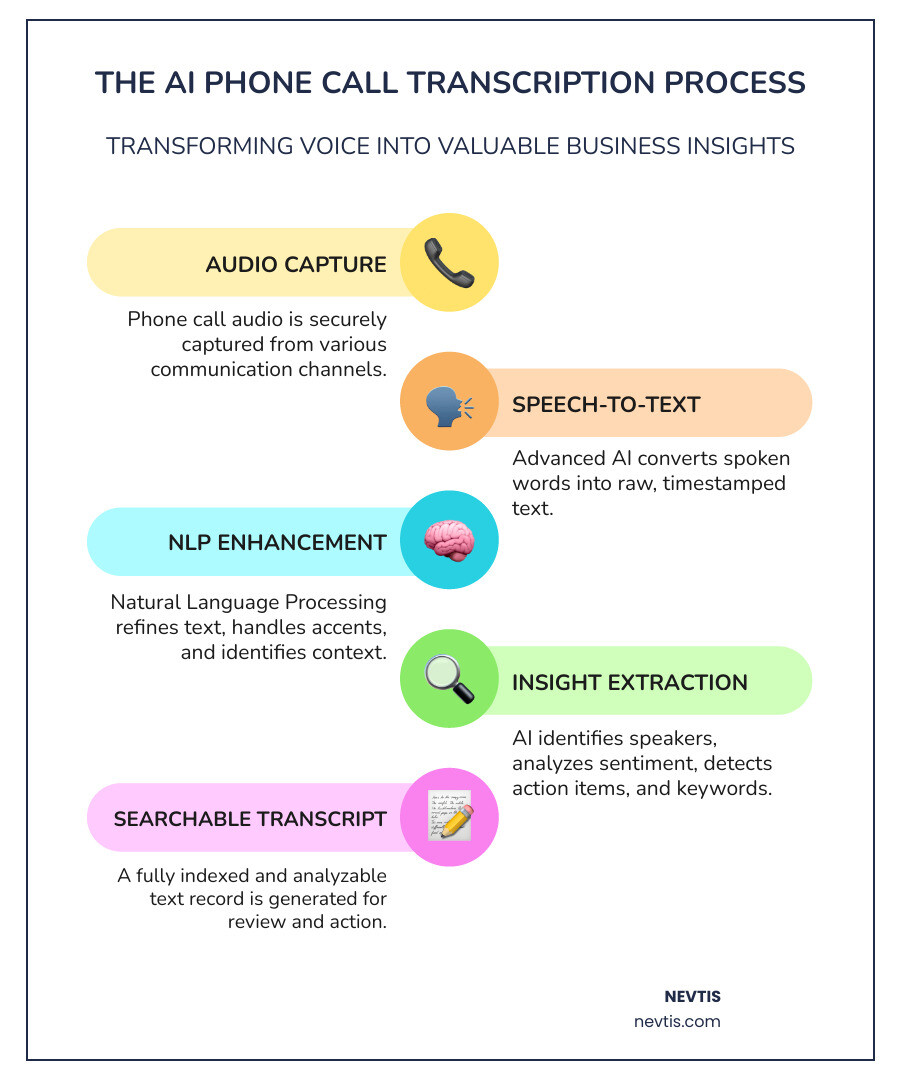
    infographic showing the AI phone call transcription process from audio input through speech recognition and natural language processing to searchable text output with features like speaker identification, sentiment analysis, and action item extraction - ai phone call transcription infographic infographic-line-5-steps-colors

    Why Your Business Needs AI Phone Call Transcription

    You know that sinking feeling when you hang up an important call and realize you can’t remember if the client said Tuesday or Thursday? Or when you promised to follow up on something but didn’t quite catch all the details? We’ve all been there.

    Here’s the thing: AI phone call transcription isn’t just about capturing what was said. It’s about fundamentally changing how your team works, how you understand your customers, and how you make decisions that drive growth.
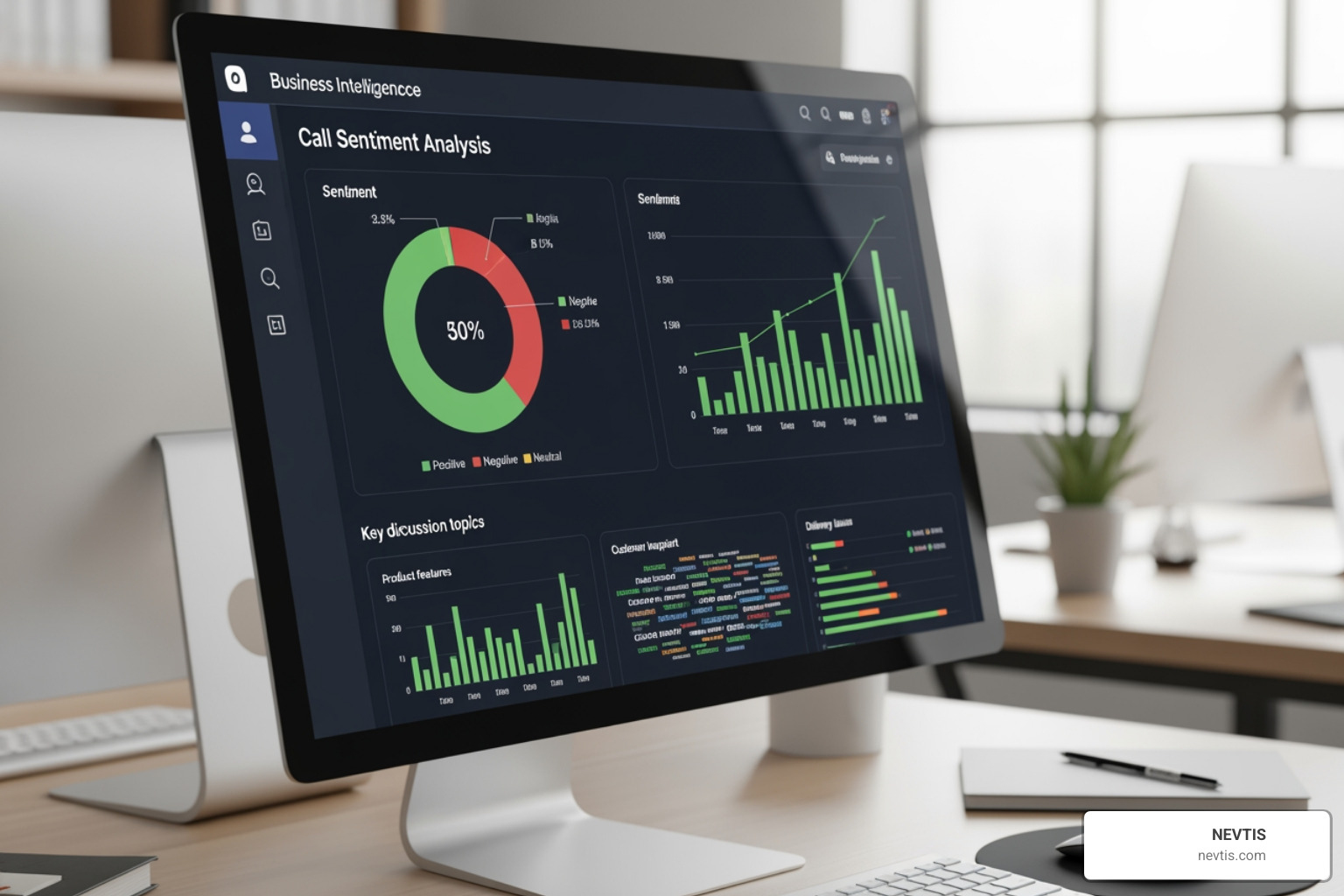
    business intelligence dashboard showing call sentiment analysis and key topics - ai phone call transcription

    The productivity boost alone is worth it. When your team members aren’t frantically scribbling notes, they can actually be present in the conversation. They can listen for what’s really being said, pick up on emotional cues, and respond with genuine empathy. The documentation happens automatically in the background.

    The numbers tell the story: businesses using AI transcription see agent efficiency jump by up to 20%. That’s not about making people work harder—it’s about removing the friction that slows them down. More calls resolved. More problems solved. No additional headcount needed.

    Then there’s the financial impact. By automating transcription and call analysis, companies are reducing operational costs by 30%. Think about all those hours that used to go into manual transcription, re-listening to calls to find specific details, or data entry into your CRM. Those hours add up fast. With AI handling the heavy lifting, you can reinvest those savings into actually growing your business.

    But the real magic happens when you start mining the data. Every transcribed conversation becomes a searchable asset. You can spot trends across hundreds of calls. You can identify the questions customers ask most often. You can find gaps in your product offering or training needs for your team. This kind of data-driven decision making used to require expensive consultants and months of research. Now it’s built into your everyday operations.

    Your customers feel the difference too. When every interaction is documented and searchable, nothing falls through the cracks. Your team can pick up exactly where the last conversation left off. Issues get resolved faster. Customers feel genuinely heard and understood. The result? Customer satisfaction improvements of 15% or more.

    At NEVTIS, we’ve built AI transcription directly into our communication platform because we believe every phone call is an opportunity—not just for today’s sale or support issue, but for learning and continuous improvement. To see how we can integrate these capabilities into your existing setup, check out more info about our services.

    Real-World Applications Across Industries

    The versatility of AI phone call transcription is what makes it so powerful. It’s not just a customer service tool or a sales tool—it transforms how entire organizations operate.

    In customer service, transcription creates a complete, searchable history of every customer interaction. Your agents can pull up past conversations in seconds to get context before jumping in. New team members can learn from real examples of how experienced agents handle tough situations. And when sentiment analysis flags that a call is heading south, supervisors can step in before a customer relationship is damaged beyond repair.

    Quality assurance and agent coaching get dramatically more effective when you’re not relying on random call sampling. Every conversation can be analyzed for adherence to scripts, use of positive language, and problem-solving approach. Instead of vague feedback like “you need to be more empathetic,” managers can point to specific moments in specific calls and say “here’s where you could have acknowledged the customer’s frustration.” That kind of targeted coaching builds skills fast.

    Sales teams get a different kind of advantage. Every client need, every objection, every budget discussion—it’s all captured automatically. The AI can even extract action items and deadlines, so nothing gets forgotten in the rush between calls. When transcripts flow directly into your CRM, sales leaders can review deals without interrupting their reps, spot patterns in what’s working (or not working), and provide coaching based on actual conversations rather than gut feelings.

    Legal and financial services face strict compliance requirements around call recording and documentation. AI transcription provides accurate, tamper-proof records that satisfy regulatory requirements while making dispute resolution far simpler. When a client says “but I never agreed to that,” you can pull up the exact transcript and know exactly what was said. For legal professionals, this documentation can literally make or break a case.

    Healthcare settings require extra care due to patient privacy requirements, but AI transcription can still streamline documentation when implemented with proper HIPAA-compliant safeguards and PII redaction. Medical professionals can focus on their patients instead of their paperwork, knowing that the conversation details are being captured accurately and securely.

    The common thread across all these industries? AI transcription moves communication from something ephemeral—here one moment, gone the next—into a strategic business asset that keeps delivering value long after the call ends.

    A Checklist for Choosing the Right AI Transcription Service

    Choosing the right ai phone call transcription service can feel a bit like picking the perfect restaurant in a busy city like Los Angeles – there are so many options! But just like finding that ideal spot depends on your taste and needs, the best transcription service for your business aligns perfectly with your operations, budget, and future plans. For businesses across California, from Orange County to Anaheim, it’s about finding a solution that truly fits.
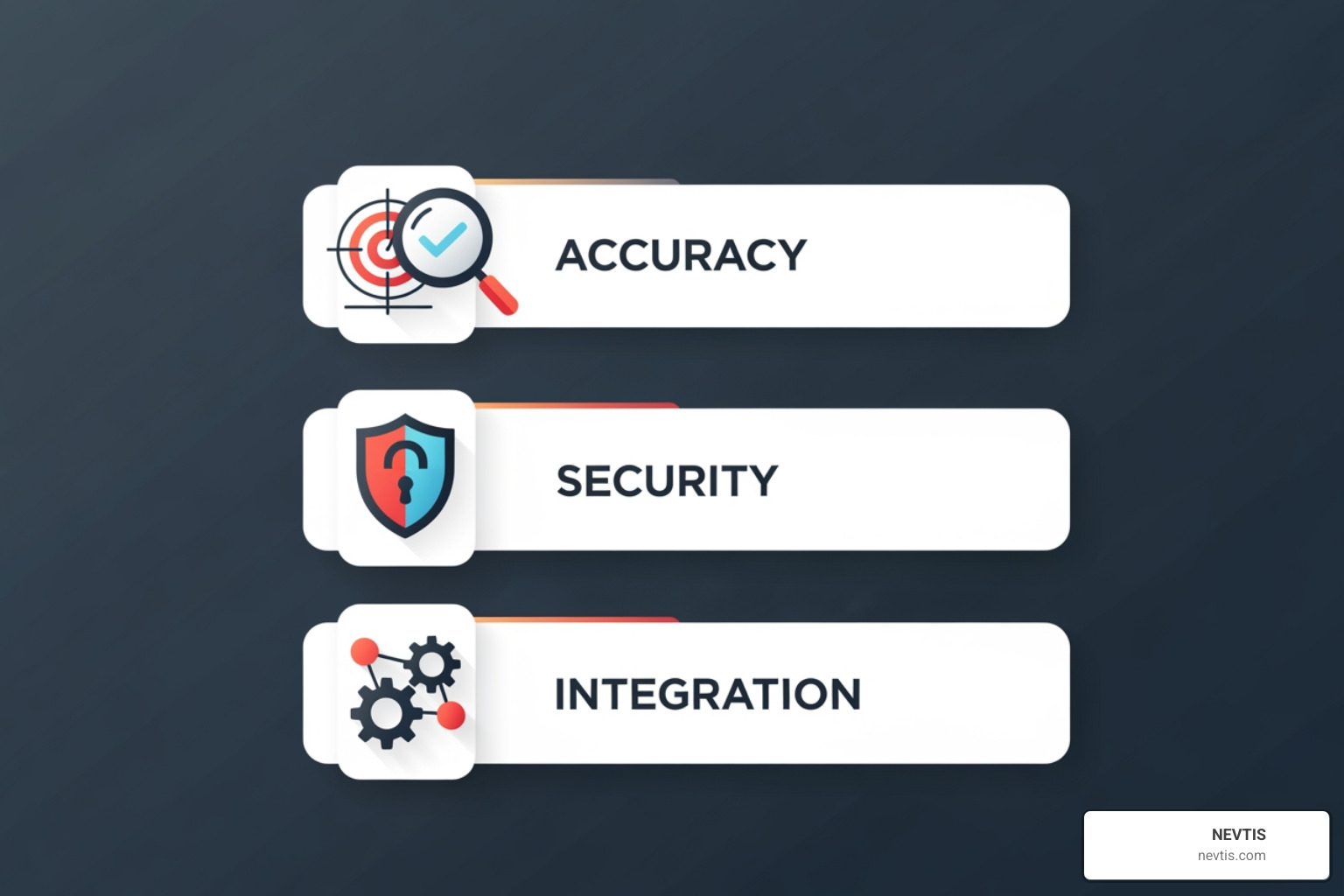
    checklist graphic with icons for accuracy, security, and integration - ai phone call transcription

    First, let’s think about when you need your calls transcribed. Do you need real-time vs. post-call transcription? Real-time transcription is super helpful for live agent support, giving immediate feedback, or ensuring everyone understands during an ongoing call. Post-call transcription, on the other hand, is great for deep dives, checking quality, or getting summaries after the conversation ends. Many top services offer both, giving you lots of flexibility.

    Next up, cost structures. These can vary quite a bit! Some services offer free limited options, while others charge per hour, per user each month, or have custom plans for big businesses. It’s smart to look at how many calls you expect and how many people will use the service to find the most budget-friendly choice. Did you know that NEVTIS often includes ai phone call transcription right within its communication packages? This can be much more affordable than paying for separate tools.

    Scalability is also key. As your business grows, your transcription needs will too! Can the service keep up with more calls or users without slowing down or costing a fortune? Look for providers that have flexible plans designed to grow right alongside your business.

    And finally, consider API access and how well it integrates with your other tools. A standalone transcription tool is good, but one that talks to your existing CRM, communication apps like Slack, or project management software? That’s a game-changer! This allows for automatic tasks, centralizes your data, and creates a truly connected communication system. Look for built-in integrations or ways to connect your transcription data using tools like Zapier.

    Core Transcription Quality

    At the very heart of any good ai phone call transcription service is its ability to accurately turn spoken words into text. If the transcript isn’t correct, any insights you gain from it won’t be quite right either, making the whole effort less useful.

    We always look for services that boast accuracy rates over 90%. Some of the best even hit amazing accuracy levels, sometimes over 98%! This high level of precision means that important details like names, numbers, and specific terms are captured correctly. While a human transcriber might still catch every tiny nuance, modern AI is incredibly close for most business needs.

    Given how diverse California is, multi-language support is often a must-have. Many leading AI transcription services can handle lots of languages – some even support dozens of languages for transcription and translation. This is a huge plus for businesses with global customers or a team that speaks many languages.

    It’s also super important for the service to handle different accents and dialect handling well. We all know not everyone speaks the same way! The best AI models are trained on tons of different speech patterns, so they can still understand clearly, even with a bit of background noise or a less-than-perfect accent.

    Lastly, for businesses with special vocabulary, custom vocabulary and the ability to understand industry-specific jargon can really boost accuracy. Some services let you “teach” the AI new terms, product names, or acronyms. This ensures your unique business language is correctly transcribed every single time, which is super helpful for technical or specialized fields.

    Essential AI-Powered Features for phone call transcription

    Beyond simply turning speech into text, the real magic of ai phone call transcription comes from its smart features. These tools turn plain text into valuable insights, making your transcripts a powerful business asset.

    • Speaker Identification (Diarization): Imagine a transcript where you know exactly who said what! This feature automatically labels each speaker, making it super easy to follow conversations and see who contributed what. It’s especially useful for calls with multiple people, like team meetings, giving you a clear picture of the discussion.
    • Automated Summaries: Who has time to read a 60-minute call transcript? Not you! AI-powered summaries condense long conversations into quick overviews. They highlight the main points, decisions made, and key discussion topics. This saves tons of time for busy pros who just need the gist of a call fast.
    • Action Item Detection: This is where AI truly helps you get things done! Smart AI can spot and flag potential tasks mentioned during a call. Whether it’s “send the proposal,” “follow up with John,” or “research X,” the AI can find these tasks. This helps your team stay organized, ensures nothing is missed, and makes your post-call work much smoother.
    • Sentiment Analysis: Understanding the feeling behind the words can be just as important as the words themselves. Sentiment analysis uses AI to figure out if the tone of a conversation is positive, negative, or neutral. For customer service teams, this is priceless for catching upset customers early, dealing with issues proactively, and training agents on how to handle tough calls.
    • Keyword Search Functionality: Once your calls are text, they become fully searchable! This means you can quickly look for specific words, phrases, or topics across all your call transcripts. Need to find every mention of “new project” or a certain client’s name from last month? A good keyword search makes it effortless, letting you find exact information in seconds without re-listening to hours of audio.

    These clever features are what make ai phone call transcription an essential tool for modern businesses. They go beyond just documenting to offer proactive insights and improve how efficiently you operate.

    Security, Privacy, and Compliance

    Keeping our data safe and private is incredibly important. When handling sensitive business calls, especially in regulated industries or with client information, strong security for ai phone call transcription is non-negotiable. For businesses across California, following rules like CCPA isn’t just smart; it’s a legal requirement.

    We always look for services that use strong data encryption. This means your call recordings and their transcripts are protected from unwanted access while they’re being sent and while they’re stored. Your conversations are your business, and they deserve the highest level of confidentiality.

    Following data protection rules is a must. We make sure the services we recommend are compliant with regulations like GDPR and the California Consumer Privacy Act (CCPA). The CCPA is especially important for businesses here in our state, requiring clear rules and control over personal information. Trustworthy providers will clearly state that your content is only used to transcribe your calls and not to train their AI models, keeping your confidential information safe.

    PII (Personally Identifiable Information) redaction capabilities are another crucial feature. Many conversations include sensitive personal data like names, addresses, phone numbers, or credit card details. Advanced ai phone call transcription can automatically spot and remove this information from transcripts, protecting privacy and lowering compliance risks.

    Also, user consent management is a vital ethical and legal step. It’s important to make sure everyone on a call knows they’re being recorded and transcribed, and that they’ve given their permission when needed. Some platforms even have built-in alerts or ask for clear consent before recording starts, which follows best practices and legal rules in the United States.

    Finally, we stress the importance of secure data storage policies. Look for providers that explain how long your data is kept, where it’s stored, and how it’s eventually deleted. Many good services delete files from their systems quickly (like within 30 days) after transcription, ensuring your data isn’t held onto longer than necessary. For industries like healthcare, specific certifications like HIPAA are critical. Some features, like voicemail-to-text, might even be automatically turned off by providers to meet these strict requirements.

    Frequently Asked Questions about AI Transcription

    We understand that diving into AI phone call transcription can raise a few questions. It’s a rapidly evolving field, and separating fact from fiction is key to making informed decisions for your business. Here are some of the most common questions we encounter, along with our expert answers.

    How accurate is AI transcription compared to human transcription?

    This is perhaps the most common question we hear! Historically, human transcription was the gold standard, offering near-perfect accuracy and the ability to pick up on nuances, regional dialects, and specific jargon that AI struggled with. However, human transcription is also significantly slower, more expensive, and less scalable.

    Today, AI has closed that gap dramatically. Modern AI phone call transcription services boast accuracy rates often exceeding 90%, with some reaching over 98% under optimal conditions. AI’s advantages include:

    • Speed and Scalability: AI can transcribe hours of audio in minutes, making it incredibly fast and scalable for high-volume needs.
    • Cost-Effectiveness: It’s significantly cheaper than human transcription, making it accessible for businesses of all sizes, including small and medium-sized businesses across California.
    • Efficiency: AI can quickly process vast amounts of data, identifying keywords, sentiments, and action items that would take humans countless hours to extract manually.

    While AI is incredibly powerful, human transcription still has its place for specific use cases where 100% accuracy and nuanced understanding are absolutely critical, such as highly sensitive legal proceedings or academic research with complex, overlapping speech. For most business applications, however, AI transcription offers an unbeatable combination of speed, accuracy, and affordability, with a turnaround time that’s virtually instantaneous compared to human services.

    What are the limitations of current AI phone call transcription technology?

    Despite its impressive advancements, AI phone call transcription isn’t without its limitations. It’s a powerful tool, but it’s not magic (yet!). Understanding these limitations helps us set realistic expectations and implement strategies to mitigate them.

    • Background Noise Challenges: While AI models are becoming increasingly resilient, heavy background noise (think a busy coffee shop or a construction site nearby) can still degrade transcription accuracy. Clear audio input remains the best foundation for precise transcription.
    • Handling Cross-Talk: When multiple speakers talk over each other, even humans can struggle to decipher every word. AI technology has improved significantly in speaker diarization (identifying who said what), but simultaneous, overlapping speech can still present challenges for perfect transcription.
    • Accuracy with Heavy Accents: While many AI services support multiple languages and are trained on diverse speech patterns, very strong or unfamiliar accents can sometimes reduce accuracy. This is where custom vocabulary features can help, as the AI learns to associate specific sounds with specific words.
    • Understanding Complex Context: AI is excellent at transcribing words, but truly understanding the deeper context, sarcasm, or highly nuanced discussions can still be a hurdle. This is why features like sentiment analysis are continuously being refined.
    • Need for Human Review: For critical applications where absolute accuracy is paramount, a human review or editing pass is often recommended. While AI provides a solid first draft, a quick human check can catch any errors, particularly with proper nouns, industry jargon, or subtle misinterpretations.

    We continuously monitor these limitations and advise our clients on how to optimize their call environments and leverage AI features to get the best possible results.

    How does AI transcription integrate with other business tools?

    The real power of AI phone call transcription is released when it’s integrated seamlessly into your existing business ecosystem. A standalone transcription tool is helpful, but one that “plays nice” with your other software becomes a force multiplier for productivity.

    Many leading AI transcription services offer robust native integrations with popular business applications. This means your call transcripts, summaries, and action items can automatically flow into the tools your team already uses daily.

    Think about your CRM platforms (Customer Relationship Management). Integrations allow call transcripts and summaries to be automatically logged against client records. Sales teams in Los Angeles can quickly review past interactions, and customer service in Anaheim can pull up a complete history before calling a client back.

    For communication tools like Slack, integrations enable transcripts or key highlights to be shared directly with relevant team channels, keeping everyone in the loop without endless meetings or email chains. Similarly, integration with project management software means action items detected during calls can be automatically added to task lists, ensuring accountability and follow-through.

    Beyond native integrations, many services support Zapier workflows. Zapier acts as a bridge, connecting thousands of different applications. This means even if there isn’t a direct native integration, you can often create custom automated workflows to send your transcription data wherever it needs to go—from a Google Sheet for analysis to a Notion page for collaborative note-taking.

    Furthermore, unified communication platforms, like those we offer at NEVTIS, often have AI call transcription built directly into their systems. This means your phone calls, video meetings, and messaging are all part of a single platform, with transcription and AI insights integrated as core features. This creates a streamlined, efficient workflow that improves communication across your entire organization, whether your team is in a single office in Pasadena or distributed across multiple locations in the United States.

    Conclusion: Accept the Future of Business Communication

    We’ve journeyed through AI phone call transcription together, and I hope you’re as excited about its potential as I am. This isn’t some distant technology we’ll see “someday”—it’s here now, changing how businesses communicate, make decisions, and serve their customers.

    Think about what we’ve covered: teams working 20% more efficiently, operational costs dropping by 30%, customer satisfaction climbing by 15%. These aren’t just numbers on a slide deck—they’re real improvements happening in real businesses, from customer service centers to sales teams to legal offices across California and beyond.

    What makes AI phone call transcription truly special is how it transforms something we do every day—talking on the phone—into a strategic advantage. Every conversation becomes a learning opportunity. Every call adds to your knowledge base. Every interaction reveals insights you can act on. It’s like having a brilliant assistant who never forgets a detail, never misses a follow-up, and is always ready to help you understand what your customers really need.

    The technology will only get better from here. We’re already seeing AI that can detect sentiment in real-time, automatically flag action items, and summarize hour-long calls in seconds. As these models continue learning and improving, they’ll handle even more complex scenarios, understand more languages and accents, and provide even deeper intelligence about your business conversations.

    At NEVTIS, we’ve built AI call transcription directly into our cloud-hosted VoIP phone systems because we know it’s not just a nice-to-have feature—it’s essential. Our NEVTIS Plus mobile app puts over 50 enterprise capabilities right in your pocket, including intelligent transcription that turns every call into searchable, analyzable data. Whether your team is in the office in Los Angeles, working from home in Orange County, or spread across the United States, they’ll have the same powerful tools to communicate effectively and capture every important detail.

    We’ve helped countless businesses—from busy contractors to growing customer service teams—make the leap to smarter communication. The change isn’t just about technology; it’s about giving your people the freedom to focus on what they do best while the AI handles the documentation, analysis, and insights.

    Don’t let another valuable conversation disappear into thin air. Don’t let your team waste hours on manual note-taking when they could be building relationships and closing deals. The future of business communication is here, and it’s more accessible and affordable than you might think.

    Explore our VoIP solutions and find how we can help your business capture every word, every insight, and every opportunity. Let’s transform the way you communicate together.

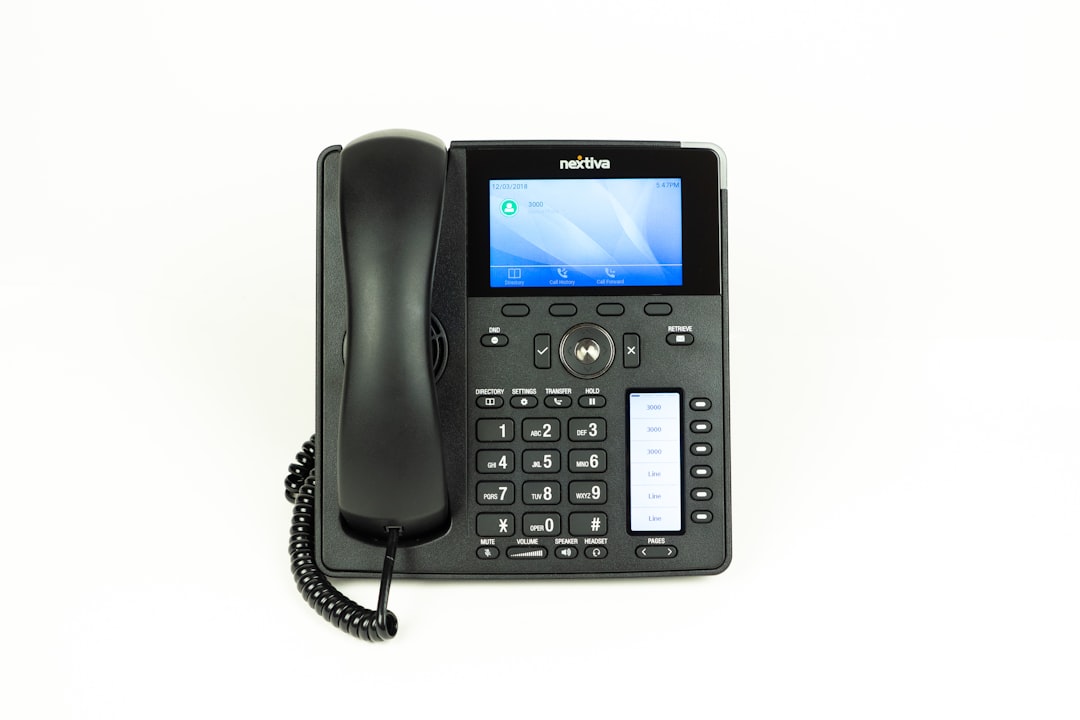
  • Unplugged? Not Quite: Demystifying the Landline Phone

    Unplugged? Not Quite: Demystifying the Landline Phone

    What is a landline: The Ultimate 2025 Guide

    What Exactly is a Landline Phone?

    A landline is a traditional telephone service that uses physical wires, typically copper, to connect a phone to the public telephone network. Unlike mobile phones, a landline is tied to a fixed location and transmits voice signals along these wires without using radio waves.

    For over a century, these wired connections were the backbone of communication. But with the rise of mobile phones and internet-based calling, many now wonder: what is a landline and does it still matter?

    For business owners, understanding this foundational tech is key to choosing the right modern solutions. This guide will explore what a landline is, how it works, and how it fits (or doesn’t) into today’s business world.

    I’m Juan Olmedo, a builder who transitioned into a Tech and SaaS/UCaaS Engineer. My journey has given me a deep understanding of communication systems, from the earliest landline technologies to the latest cloud-based solutions, which I now use to help businesses modernize.

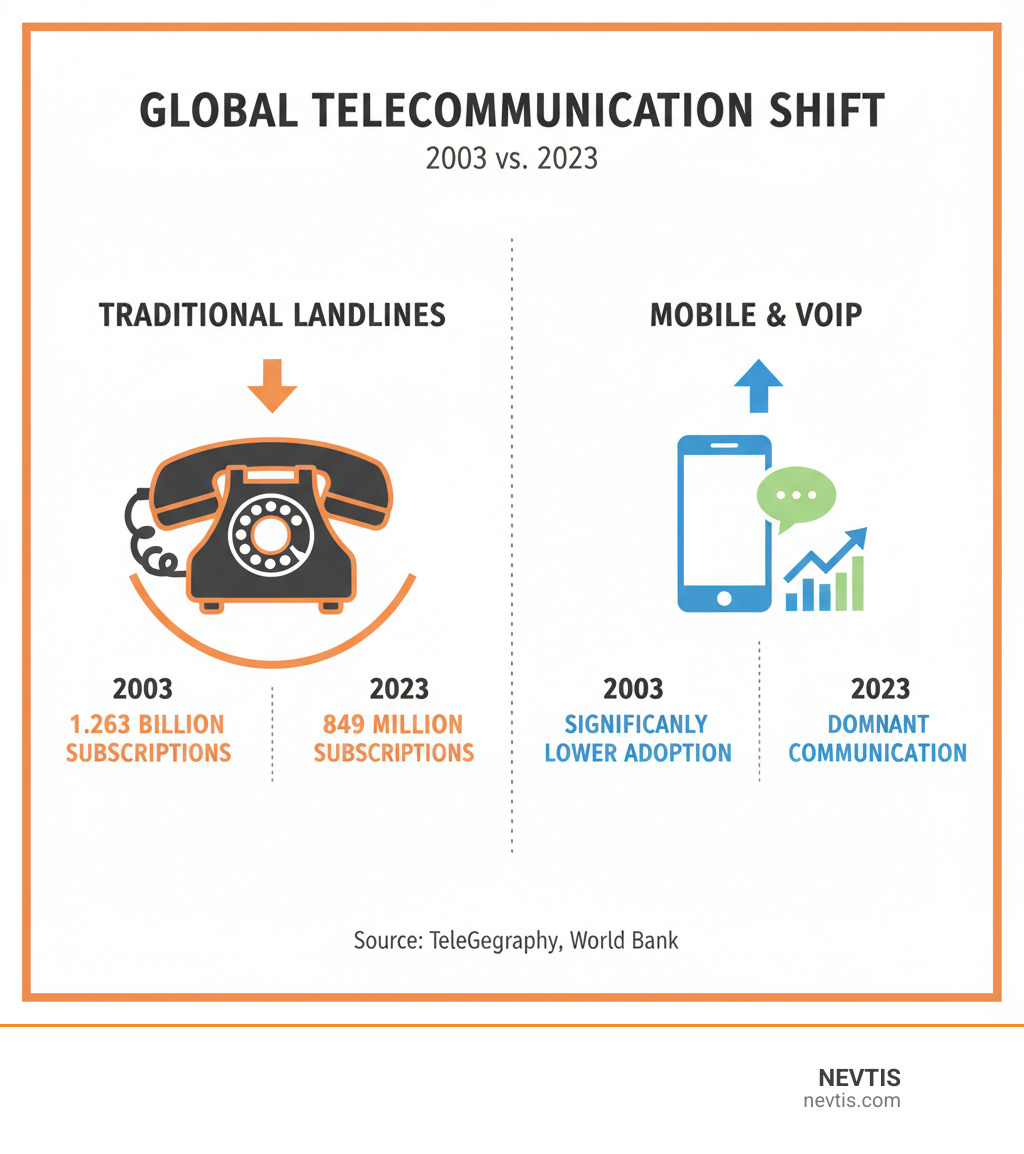
    Infographic showing the global decline of traditional landline usage from 1.263 billion in 2003 to 849 million in 2023, contrasted with the significant rise in mobile phone and Voice over Internet Protocol (VoIP) adoption during the same period, illustrating the shift in telecommunication technology. - what is a landline infographic

    What is a Landline Phone, Exactly?

    A landline phone provides traditional telephone service through a physical connection. Using copper wires that run underground or along poles, it creates a direct, “fixed-line” link from your phone to the broader telephone network. Because a landline is tied to a specific location—your home or business—it differs from a mobile phone that goes everywhere with you. This classic system is officially known as the Public Switched Telephone Network (PSTN) or Plain Old Telephone Service (POTS).

    A phone jack in a wall with a cord plugged in - what is a landline

    Understanding the Basics: What is a Landline?

    At its core, a landline uses wired communication to send your voice as analog electrical signals along a physical wire. It functions without the radio waves that mobile phones and other wireless technologies rely on. Merriam-Webster defines a landline as “a telephone line that transmits signals from one station to another directly along a wire without the use of radio waves.” The term itself dates back to 1865, highlighting its long history as a cornerstone of communication. Understanding this basic definition helps clarify how different technologies impact call reliability, features, and cost.

    What is a Landline Number?

    A landline number is a fixed phone number linked to a specific physical address or telephone line. When you set up service in a city like Los Angeles or Anaheim, the number becomes associated with that geographic location via its area code. For example, an 818 area code instantly signals that a business is based in the San Fernando Valley.

    This fixed association offers practical benefits, especially for businesses. A local landline number can boost credibility and signal a local presence, which helps build trust with customers.

    Perhaps its most vital function is in emergencies. When you dial 911 from a traditional landline, emergency services can immediately pinpoint your exact physical address. While mobile phones have improved GPS, the direct address association of a landline remains a highly trusted method for dispatching help precisely where it’s needed.

    The Nuts and Bolts: How Landlines Connect Your Calls

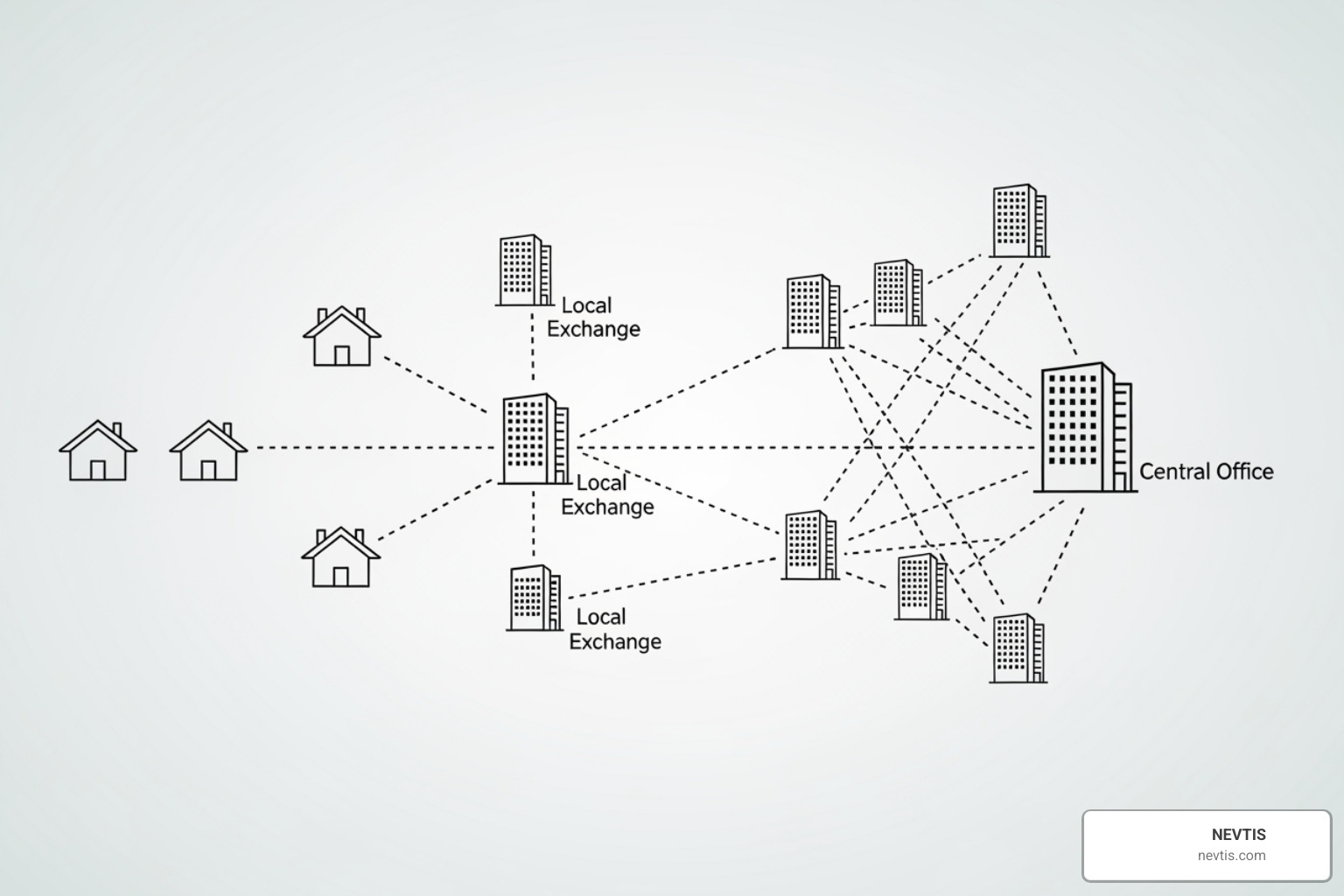
    When you make a call on a traditional landline, your voice travels through the Public Switched Telephone Network (PSTN), a massive web of wires and switches that has connected people for over a century.

    Here’s how it works: Your voice is converted into electrical signals that travel along copper wires to a local telephone exchange (or central office). The system then creates a dedicated circuit just for your call, a process called “circuit-switching.” This circuit stays open for the duration of your conversation, connecting you directly to the other person. This dedicated connection is why traditional landline calls have historically been so reliable and clear.

    Diagram of the Public Switched Telephone Network (PSTN) - what is a landline

    Traditional (Analog) vs. Modern Digital Landlines

    Landline technology has evolved, leading to two main types: traditional analog and modern digital.

    Traditional analog landlines are the original Plain Old Telephone Service (POTS). They use a copper wire infrastructure to carry your voice as continuous electrical waves. Analog’s simplicity offers a key advantage: it often works during power outages because it draws power from the telephone company, not your home. However, analog signals can degrade over distance and lack the advanced features of modern phones.

    Modern digital landlines are entirely different. Instead of continuous waves, digital systems break your voice into tiny data packets, often using Voice over Internet Protocol (VoIP). Your voice is converted into digital bits, sent through the network, and reassembled on the other end.

    This digital approach offers superior call quality, as digital signals resist noise better than analog, resulting in crystal-clear conversations. The real game-changer is the features. Digital landlines can integrate video conferencing, instant messaging, call forwarding, and voicemail-to-email.

    For businesses, the benefits are even greater. Digital systems are more cost-effective, especially for long-distance, and integrate with other software. They are also ideal for remote and hybrid work. The FCC is accelerating the nationwide transition from old copper networks to modern fiber optic ones. So, while the term “landline” persists, the underlying technology is rapidly becoming digital and internet-based.

    If you’re a business owner looking to modernize, understanding these digital solutions matters. Our VoIP solutions leverage these advances to help businesses in Los Angeles, Anaheim, and throughout Southern California stay connected with cutting-edge features at a fraction of traditional costs.

    Landline vs. Mobile: A Surprising Showdown

    While smartphones dominate, landlines still have unique strengths. For businesses, understanding the differences between landlines and mobile phones is key to choosing the right communication tools. Let’s compare them.

    Feature Traditional Landline (POTS) Mobile Phone (Cellular)
    Reliability Very high; dedicated circuit, less prone to network congestion High, but can be affected by cell tower coverage, congestion
    Call Quality Consistent and clear over short distances; can degrade over long distances Generally high, but can vary with signal strength
    Power Outage Functionality Yes, typically self-powered and works during power outages Yes, but relies on battery life and operational cell towers
    Location Tracking (911) Highly accurate; directly tied to physical address High, uses GPS, but can have varying degrees of accuracy
    Mobility None; fixed to a location Full mobility; can be used anywhere with signal
    Features Basic (voice, caller ID, voicemail) Extensive (apps, internet, camera, messaging, video calls)
    Security High against cyberattacks (analog) Moderate to high; vulnerable to cyberattacks and eavesdropping

    Advantages of a Landline

    Traditional landlines still offer key advantages, especially regarding reliability and safety.

    Reliability and call quality are where copper landlines shine. Their dedicated circuit for each call means fewer dropped calls or interference, which is critical for important business conversations, especially in areas with poor cell reception.

    Power outage functionality is another major benefit. Traditional POTS lines draw power from the phone company, so a corded landline phone will likely keep working when the power goes out.

    For 911 accuracy, a landline is best. It automatically transmits your physical address to emergency services, ensuring your exact location is known.

    Finally, traditional analog landlines offer improved security, as their physical, circuit-switched nature is less vulnerable to digital eavesdropping and cyberattacks. These advantages make a compelling case for keeping a landline, particularly for elderly residents or those in rural parts of California with unreliable cell service.

    Disadvantages of a Landline

    However, there are significant reasons for the decline in landline usage in our mobile-first world.

    The most obvious drawback is the lack of mobility. A landline is fixed to one location, which is impractical for anyone needing to communicate on the go.

    Another issue is limited features. Traditional landlines are mostly restricted to voice calls, caller ID, and basic voicemail, lacking the advanced integrations modern businesses require.

    Landlines are also magnets for spam calls. Without the advanced call-blocking of modern systems, managing robocalls can be a major hassle.

    Cost is another factor, as maintaining aging copper infrastructure is expensive, often leading to higher bills for a service that does less.

    Perhaps the biggest disadvantage is that traditional landlines are becoming obsolete. Telecom companies are actively phasing out old copper networks in a “copper sunset,” encouraged by the FCC. This means service is becoming less reliable and will eventually be replaced by digital alternatives, as noted by PBS Newshour: “This week’s cellphone outage makes it clear: In the United States, landlines are languishing.” For businesses in Los Angeles or Anaheim, these drawbacks can hinder efficiency, making modern alternatives that offer the best of both worlds a necessity.

    The Future is Calling: The Evolution of Landlines

    Communication is rapidly shifting from a world of copper wires to a digital, internet-powered landscape. This changes not only how we connect but also the very definition of “what is a landline.” This industry-wide “copper sunset” marks the transition away from the old Public Switched Telephone Network (PSTN). In the United States, the FCC is encouraging providers to switch to faster, more modern fiber optics and other digital technologies, revolutionizing communication for the modern era.

    The Modern Dilemma: What is a Landline’s Role Today?

    With mobile phones and internet calling, what is a landline’s role today? While no longer dominant, it hasn’t vanished and still serves important purposes. According to 2022 FCC data, while 73% of U.S. homes were mobile-only, 25% still had both a landline and cell service, and 1% relied solely on a landline.

    These users often include residents in rural areas of California with spotty cell service, or elderly users who prefer the simplicity and familiarity of a traditional phone. Its reliability during power outages also provides peace of mind. Some businesses also keep landlines for specific functions like alarm systems or as a solid backup communication option. As PBS Newshour noted, even as landlines are languishing, they fill a specific need: “This week’s cellphone outage makes it clear: In the United States, landlines are languishing.”

    The Rise of VoIP and Cloud Communications

    The decline of traditional landlines is a story of evolution, with the torch being passed to Voice over Internet Protocol (VoIP) and cloud communications. For businesses in competitive markets like Los Angeles and Orange County, adopting this technology is essential.

    VoIP technology transforms phone calls by converting your voice into digital data packets that travel over the internet. This allows you to make calls from anywhere with an internet connection, using a desk phone, a computer softphone, or a mobile app.

    This internet-based approach offers numerous advantages:

    • Unified Communications: VoIP systems integrate phone calls with instant messaging, video conferencing, email, and CRM software. This creates a seamless communication experience for teams in Pasadena, Riverside, or working remotely.
    • Advanced Features: Modern VoIP solutions offer over 50 business tools like auto-attendants, call queues, call recording, and even AI call transcription, helping businesses operate more professionally.
    • Cost Savings: By using your existing internet connection, VoIP significantly reduces phone bills, especially for long-distance and international calls.
    • Remote Work Enablement: Cloud-hosted VoIP systems are perfect for remote teams. The NEVTIS Plus mobile app, for instance, gives your team full access to business phone features from their smartphones anywhere in the United States.

    Choosing advanced VoIP solutions is the smartest move for any forward-thinking business. To learn how NEVTIS can help your business with modern communication, explore More info about our services.

    Frequently Asked Questions about Landlines

    As technology evolves, questions about landlines are common. Here are straightforward answers to clear up some misconceptions.

    Are landline phones still used today?

    Yes, landline phones are still in use, though their role has changed. While their popularity has declined, they remain valuable in specific situations. In 2022, 25% of U.S. households still had both a landline and mobile service.

    Users often include elderly individuals who prefer their simplicity and reliability, and people in rural areas of California where cell reception is poor. Many businesses also still use landlines for critical functions like alarm systems, fax machines, or as a backup system during emergencies. While not as universal as it once was, the landline has found an important niche.

    Can you text from a landline?

    Generally, you cannot text directly from a traditional landline phone, as it was designed for analog voice calls, not digital text data.

    However, modern solutions allow businesses to text-enable their landline number. These services use a web portal or mobile app to send and receive texts using the business’s existing number. Advanced VoIP capabilities from providers like NEVTIS integrate texting directly into your business phone system, making your landline number more versatile for modern communication.

    Do you need a landline for broadband internet?

    Not anymore, in most cases. Historically, a landline was necessary for Digital Subscriber Line (DSL) internet, which used the same copper phone lines.

    Today, modern alternatives like fiber optic and cable internet are widely available and do not rely on traditional phone lines. These technologies use their own infrastructure (glass strands for fiber, coaxial cables for cable) to deliver high-speed internet. Most internet providers now offer standalone internet packages without requiring a phone service. You can learn more about this shift here: Do you need a landline for broadband?

    Conclusion

    We’ve traced the landline phone’s journey from its copper-wired roots to its digital successors, showing how this foundational tool has evolved. For over a century, the landline offered best reliability, but its limitations are clear in today’s world. We are now in the midst of a “copper sunset,” a shift away from the old Public Switched Telephone Network (PSTN) toward the flexibility and advanced features of digital alternatives like Voice over Internet Protocol (VoIP).

    This isn’t the end of the phone call but an exciting new chapter where communication is smarter and more integrated.

    For businesses in competitive markets like Los Angeles and Anaheim, understanding this evolution is essential. Embracing modern, cloud-hosted VoIP systems open ups powerful features, enables remote work, and delivers significant cost savings—future-proofing your communication in ways traditional landlines can’t match.

    At NEVTIS, we are at the forefront of this digital revolution, providing businesses across the US with advanced VoIP solutions designed for today’s dynamic world. Our goal is to empower you to communicate more effectively and intelligently.

    Are you ready to connect to the future? We invite you to Explore our advanced VoIP solutions and find how NEVTIS can help your business thrive.

  • Ringing in Success: Your Guide to the Best Small Business IP Phone Systems

    Ringing in Success: Your Guide to the Best Small Business IP Phone Systems

    Why Your Small Business Needs a Modern Phone System

    Choosing the right small business IP phone systems is a pivotal decision. Unlike outdated traditional phone lines, modern IP systems offer significant advantages that can transform your operations.

    Here’s why small businesses are making the switch:

    • Cost Savings: Reduce monthly bills by 30-70% compared to traditional landlines.
    • Advanced Features: Access professional tools like auto-attendant, call queues, and voicemail-to-email.
    • Mobility & Flexibility: Make and receive calls from anywhere, on any device, with just an internet connection.
    • Scalability: Easily add or remove users as your business grows or changes.
    • Ease of Management: Cloud-based systems offer simple setup and remote management, often with no IT staff required.

    Today, a phone system is a critical tool for productivity, customer service, and collaboration. An efficient communication system helps you compete, grow, and maintain a professional image.

    As a builder turned tech entrepreneur, I founded NEVTIS to simplify enterprise technologies like small business IP phone systems, making them accessible and easy for small businesses to manage.

    Infographic illustrating the transition from complex traditional phone systems to streamlined cloud-based IP phone systems, showcasing ease of connection to desk phones, mobile devices, and computers - small business ip phone systems infographic

    IP Phones vs. Traditional Landlines: A Clear Winner for Business

    Using traditional landlines today is like driving a horse and buggy on the freeway. Traditional systems, or PSTN, rely on physical copper wires, require expensive hardware, and come with hefty monthly fees. Adding a new line or feature often means calling a technician and opening your wallet.

    Small business IP phone systems are a game-changer. They use VoIP (Voice over Internet Protocol) to send calls over your existing internet connection. This digital shift provides HD audio quality, lower costs (often 30-70% less), and scalability that lets you add users with a few clicks. You also get features traditional phones can’t match, like video conferencing and mobile apps. For businesses in Los Angeles, Anaheim, and Orange County, this means enterprise-level communications without the enterprise-level price tag.

    More info about our VoIP solutions

    How IP Technology Works

    Understanding IP phones is straightforward. Your voice is converted into digital data packets that travel over the internet and are reassembled on the other end. This happens instantly, providing crystal-clear audio.

    The brain of the operation is the IP PBX (Private Branch Exchange), which manages all your communications. Instead of physical phone lines, IP systems use SIP trunks—virtual phone lines that run over your internet connection. This means you pay for internet bandwidth you likely already have, not for individual, expensive phone lines. The result is reduced hardware, cost-effective calling, and superior call quality, as modern internet connections easily handle high-definition audio.

    The Importance of Upgrading for Small Businesses

    Switching to small business IP phone systems is about fundamentally improving how your business operates. An IP system is a unified communications platform that delivers a significant productivity boost. Features like intelligent call routing and voicemail-to-email ensure your team is always connected and efficient. For instance, according to Fortune Business Insights, businesses using unified communications can boost productivity by 20% to 25%.

    Improved customer interaction is another key benefit. Auto-attendants and call queues create a smooth, professional experience for your customers, making your small business feel like a much larger operation. This professional image provides a competitive edge against larger rivals.

    Most importantly, you’re future-proofing your business. Traditional landlines are being phased out, while IP systems are built on flexible, internet-based technology that evolves with new features like AI transcription and advanced analytics. With modern encryption and intuitive online management portals, these systems are also more secure and easier to manage. Upgrading is an investment in your business’s efficiency, customer satisfaction, and future growth.

    Must-Have Features in a Modern IP Phone System

    Modern small business IP phone systems are more than just phones; they are powerful communication hubs. They are packed with tools to boost productivity and streamline operations. Our NEVTIS Plus mobile app, for example, offers over 50 enterprise features, including AI call transcription, putting a communication powerhouse in your pocket.

    Image of a smartphone screen displaying a feature-rich business communication app interface - small business ip phone systems

    Core Call Management Features

    These essential features ensure every call is handled professionally and efficiently.

    • Auto-Attendant (Virtual Receptionist): Provides a professional greeting and routes callers to the right person or department. AI-powered receptionists can even answer questions and book appointments 24/7.
    • Call Queues: Holds callers in a virtual line with custom music, informing them of their position to reduce dropped calls and improve customer experience.
    • Call Forwarding: Redirects incoming calls to another extension, your mobile phone, or any other number, offering total flexibility for remote or traveling staff.
    • Call Recording: Captures and saves conversations for quality assurance, training, or record-keeping. AI can even summarize calls and transcribe them to text.
    • Voicemail-to-Email/Text: Automatically sends voicemail audio files and transcriptions to your email or as a text, allowing for faster responses.
    • Hold Music: Keeps callers engaged with custom music or promotional messages while they wait, reinforcing your professional image.

    Mobility and Remote Work Integration

    IP phone systems offer incredible freedom, allowing your team to stay connected from anywhere.

    • Mobile & Desktop Apps (Softphones): Turn any smartphone, tablet, or computer into your business phone. Our NEVTIS Plus app for iOS and Android lets you manage calls, messages, and more from anywhere, perfect for teams working from home or traveling between Riverside and Orange County.
    • Find Me/Follow Me: Rings multiple devices sequentially or simultaneously until you answer, ensuring you never miss an important call.
    • Business Texting (SMS/MMS): Send and receive texts using your business number for quick updates and customer support, a feature fully integrated into our solutions.
    • Seamless Device Switching: Start a call on your desk phone and instantly transfer it to your mobile app without interruption, a game-changer for a dynamic business.

    Advanced Collaboration Tools

    These tools transform your phone system into a hub for teamwork and efficiency.

    • Video Conferencing: Host face-to-face meetings with screen sharing, chat, and recording capabilities, eliminating the need for separate video services.
    • Team Chat: Use built-in instant messaging for quick conversations, file sharing, and project discussions, reducing email clutter.
    • Presence Status: See if colleagues are available, on a call, or away, saving time and preventing interruptions.
    • File Sharing: Share documents and images directly within chats or video meetings to keep all project communications organized in one place.

    Image of a team video conference call on a laptop screen - small business ip phone systems

    Combining these features creates a powerful ecosystem that helps your small business operate more efficiently and professionally.

    On-Premise vs. Cloud-Based: Choosing Your Deployment Model

    When selecting small business IP phone systems, a key decision is choosing between an on-premise or a cloud-based model. While both have their strengths, cloud solutions are the clear favorite for small businesses due to their flexibility and ease of management.

    Here’s a quick comparison:

    Feature On-Premise IP PBX Systems Cloud-Hosted IP Phone Systems
    Initial Cost High (significant capital expenditure for hardware) Low (minimal upfront cost, subscription-based)
    Maintenance High (requires dedicated IT staff, upgrades, repairs) Low (provider handles maintenance, updates, security)
    Scalability Moderate (requires hardware upgrades for expansion) High (easily add/remove users, pay-as-you-grow)
    Features Rich, but new features require manual updates/upgrades Rich, constantly updated with new features and innovations
    Remote Access More complex setup for remote users, VPN often required Seamless for remote users, accessible from anywhere
    Control Full control over hardware and software Managed by provider, less direct control over infrastructure
    Reliability Depends on local power/internet, requires backup systems High (distributed data centers, built-in redundancy)

    On-Premise IP PBX Systems

    An on-premise IP PBX system means the core phone hardware resides physically at your business location, perhaps in a server closet in your Orange County office. This gives you complete control over your communication setup. You purchase all the equipment upfront (a Capital Expenditure or CapEx), such as a Grandstream or Yeastar IP PBX unit, and are responsible for its installation, maintenance, and updates. While full hardware control is a plus for businesses with specific needs and a dedicated IT team, the complexity and ongoing support costs can be a significant burden for many small businesses. For those who prefer this model, NEVTIS offers NEVTIS On-Premise Solutions.

    Cloud-Hosted Small Business IP Phone Systems

    Cloud-hosted systems, also known as Hosted VoIP or UCaaS (Unified Communications as a Service), are the go-to choice for most small businesses. With a cloud system, all the complex hardware and software are managed by your service provider. Your business, whether in Riverside or Pasadena, simply connects to the service over the internet.

    This approach uses a subscription model (Operational Expenditure or OpEx) with a predictable monthly cost and fantastic benefits:

    • Automatic Updates & Maintenance: The provider handles all updates and security, freeing up your time.
    • High Scalability: Easily add or remove users as your business needs change with a flexible pay-as-you-grow model.
    • Minimal Hardware: You only need IP phones or softphones on your existing devices and a reliable internet connection. Our NEVTIS Cloud Solutions include the NEVTIS Plus mobile app, packed with over 50 enterprise features and AI call transcription.
    • Business Continuity: Service remains active even during a local power or internet outage, thanks to redundant data centers.
    • Advanced Features: You get continuous access to the latest communication technology without buying new hardware.

    For most small businesses, cloud-hosted small business IP phone systems offer the ideal mix of advanced features, flexibility, and cost-effectiveness.

    How to Select the Right Small Business IP Phone Systems for Your Needs

    Choosing the perfect small business IP phone systems is about finding a solution that fits your unique needs. It’s not a one-size-fits-all decision, but a process of matching features and capabilities to how your team works and how you serve your customers.

    Assessing Your Business Requirements

    Before looking at providers, create a blueprint of your communication needs. Consider these key factors:

    • Number of Users: How many team members need an extension, including in-office, remote, and mobile employees? Plan for future growth.
    • Concurrent Calls: What is the maximum number of calls your business handles at the same time during peak hours? This determines your bandwidth needs.
    • Call Volume: How many calls do you make and receive daily? This helps identify the need for features like call queues or an auto-attendant.
    • Required Features: What tools are essential? Prioritize features like video conferencing, business texting, or call recording that will directly boost productivity and improve customer service.
    • Industry-Specific Needs: Does your business require special compliance, such as HIPAA for healthcare, or need to connect multiple retail locations seamlessly?

    Talking with your team about their daily communication challenges can provide valuable insights for choosing a system everyone will find useful.

    Budgeting for Your New Phone System

    One of the top reasons to switch to small business IP phone systems is significant cost savings. To budget effectively, consider these components:

    • Hardware Costs: If you opt for physical desk phones, prices vary. Entry-level models like the Flyingvoice P20P or Yealink T31G are budget-friendly, while advanced models like the Yealink T54W or T58W offer more features. Many businesses reduce this cost by using softphone apps on existing computers and mobile devices.
    • Monthly Subscription Fees: Cloud-hosted systems typically involve a per-user, per-month fee, often ranging from $10 to $75. Most small businesses find plans around $20 per user that cover all essential services, with discounts often available for annual commitments.
    • Implementation and Training: While cloud systems are easy to deploy, there may be minor costs for number porting or professional setup. At NEVTIS, we guide you through a smooth setup process.

    The Total Cost of Ownership (TCO) for VoIP is typically 30-70% lower than traditional phone lines, thanks to lower call rates and minimal maintenance. Our NEVTIS solutions are designed to deliver these savings while providing enterprise-grade features.

    Key Security and Reliability Considerations for small business ip phone systems

    Security and reliability are non-negotiable for your business communications. When evaluating small business IP phone systems, prioritize the following:

    • Encryption: Ensure the provider uses strong encryption protocols like SRTP and TLS to keep your conversations private and secure from eavesdropping.
    • Network Security: Your phone system is only as secure as your network. Use a strong firewall and security measures to protect your entire business from threats.
    • Uptime and Redundancy: Ask cloud providers about their uptime guarantee (SLA) and redundancy. Look for providers with geographically distributed data centers to ensure service continuity if one location has an issue. NEVTIS prides itself on a highly reliable and secure infrastructure.
    • Authentication: Use features like multi-factor authentication (MFA) to ensure only authorized users can access your system.
    • Compliance: If your industry requires it, verify that the system is compliant with regulations like HIPAA, SOC 2, or PCI-DSS.

    Choosing a provider with a proven track record in security and reliability is essential for protecting your data and ensuring peace of mind.

    More info about our reliable services

    Frequently Asked Questions about IP Phone Systems

    Can I keep my existing business phone number?

    Yes, absolutely! You can keep your existing business phone number when you switch to a new small business IP phone system. This process, known as Local Number Portability (LNP) or “number porting,” allows you to transfer your current landline, toll-free, or mobile number to your new service. Retaining your number ensures business continuity and a seamless transition for your customers. Your new provider handles the technical details, and we at NEVTIS guide our clients through this simple, stress-free process.

    What kind of internet connection do I need?

    Since small business IP phone systems run over the internet, a stable and fast connection is essential for clear call quality. Here’s what to consider:

    • Bandwidth Requirements: For basic voice calls, you don’t need much data. However, for HD voice, video conferencing, and multiple simultaneous calls, we recommend a minimum of 100 Mbps download and 10 Mbps upload speed.
    • Quality of Service (QoS): Use a router that supports QoS. This feature allows you to prioritize voice traffic over other data, ensuring your calls remain clear and free of jitter, even when the network is busy.
    • Connection Stability: A fiber optic connection is the gold standard for reliability. Cable internet is also a strong choice. Because VoIP traffic is sensitive to network issues like latency and packet loss, a dependable internet service provider (ISP) is crucial. We can help assess your connection to ensure it’s ready for a flawless IP phone experience.

    How difficult is it to set up and manage a new system?

    Modern small business IP phone systems, especially cloud-based ones, are designed for simplicity and quick deployment.

    For cloud-based systems, setup is often as simple as downloading a desktop or mobile app (like our NEVTIS Plus app) to start making calls. If you order physical desk phones, they typically arrive pre-configured and ready to plug into your internet connection—it’s truly plug-and-play.

    On-premise installations can be more technical, but many providers offer remote-assisted setup to simplify the process. Both system types feature user-friendly admin portals—web-based dashboards that let you manage users, call routing, and other features without needing to be an IT expert. If you prefer a completely hands-off approach, we also offer managed services, where we handle everything from setup to ongoing support, letting you focus on running your business.

    Conclusion: Future-Proof Your Business Communications

    Choosing the right small business IP phone systems is more than a technology upgrade—it’s about equipping your business with the tools to thrive. We’ve explored the immense benefits: significant cost savings of 30-70%, enterprise-grade features, and the freedom to work from anywhere.

    These advantages provide the agility to adapt, the professionalism to impress clients, and the scalability to grow without being held back by outdated infrastructure. Whether your business is in Anaheim, Los Angeles, or Orange County, a modern phone system is your foundation for efficient communication and collaboration.

    I started NEVTIS to make powerful communication tools accessible, affordable, and easy to manage for small businesses. Our solutions, like the NEVTIS Plus mobile app with its 50+ features and AI transcription, are designed to simplify your operations and empower your team.

    Your communication system should be a powerful asset, not a burden. Let it work for you, delight your customers, and give you the peace of mind to focus on what you do best.

    Ready to make the switch? We’re here to help.

    Explore our communication solutions